
1
Clients book and pay on your page
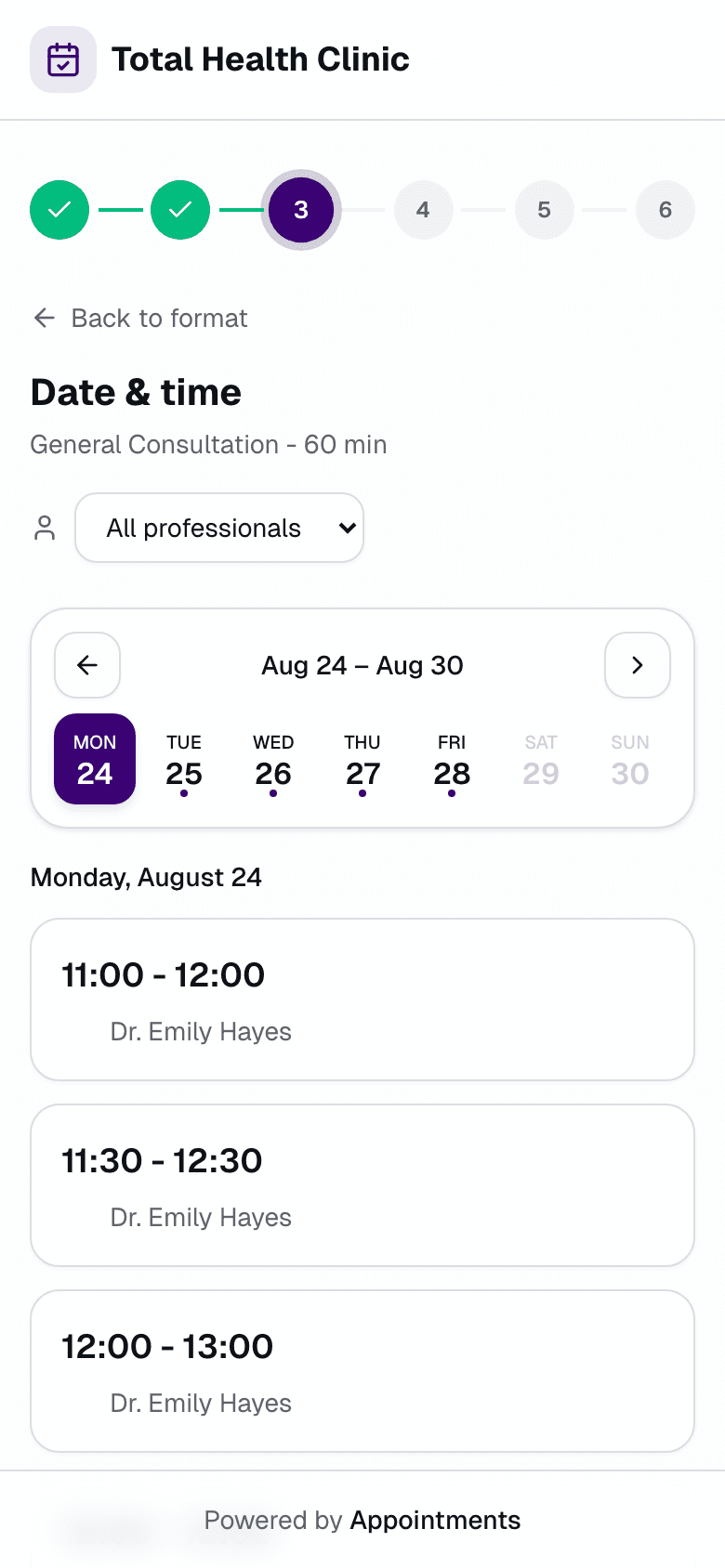
From your link, on the dates you opened. No account to create. The slot holds for 10 minutes and confirms when the payment lands.

Clients pick a slot on your page and pay the full session fee. The slot confirms only when the money lands.
Get started
From your link, on the dates you opened. No account to create. The slot holds for 10 minutes and confirms when the payment lands.
You set the rhythm: weekly, every two weeks, or every four weeks. One link bills the month's booked sessions.
Email reminders go out ahead of every session. Clients confirm or cancel in one click, so you know before you set up the lights.
You open twenty Saturday slots. Half book through DMs, deposits land on Venmo, and two families want the same 10:40. Appointments puts every slot on one page. Each slot holds for 10 minutes and confirms only when it's paid. A sold-out Saturday means the money is already in your account.
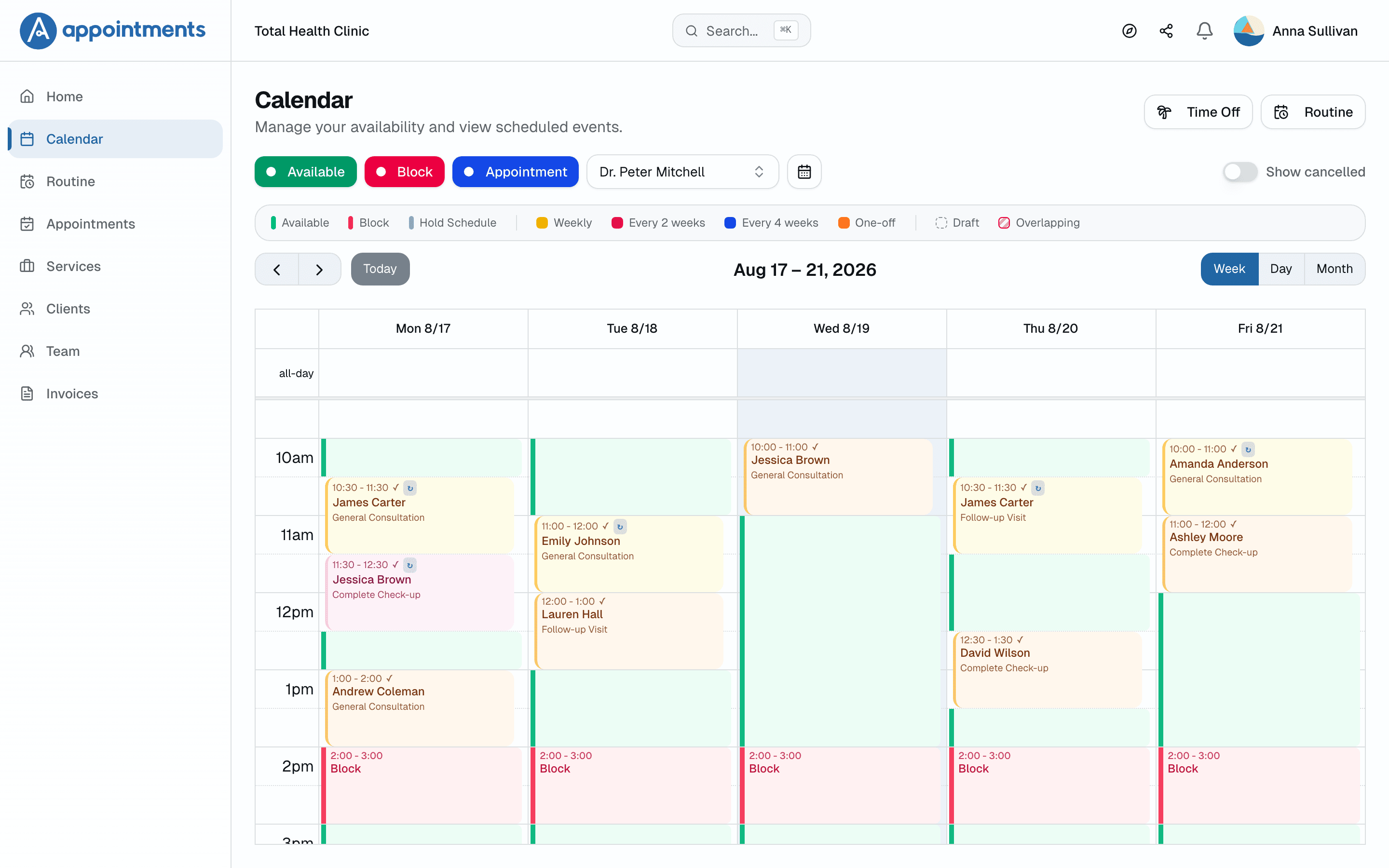
Busy season repeats for 52 weeks, editing days stay blocked, and a conflict shows up with a suggested new time.
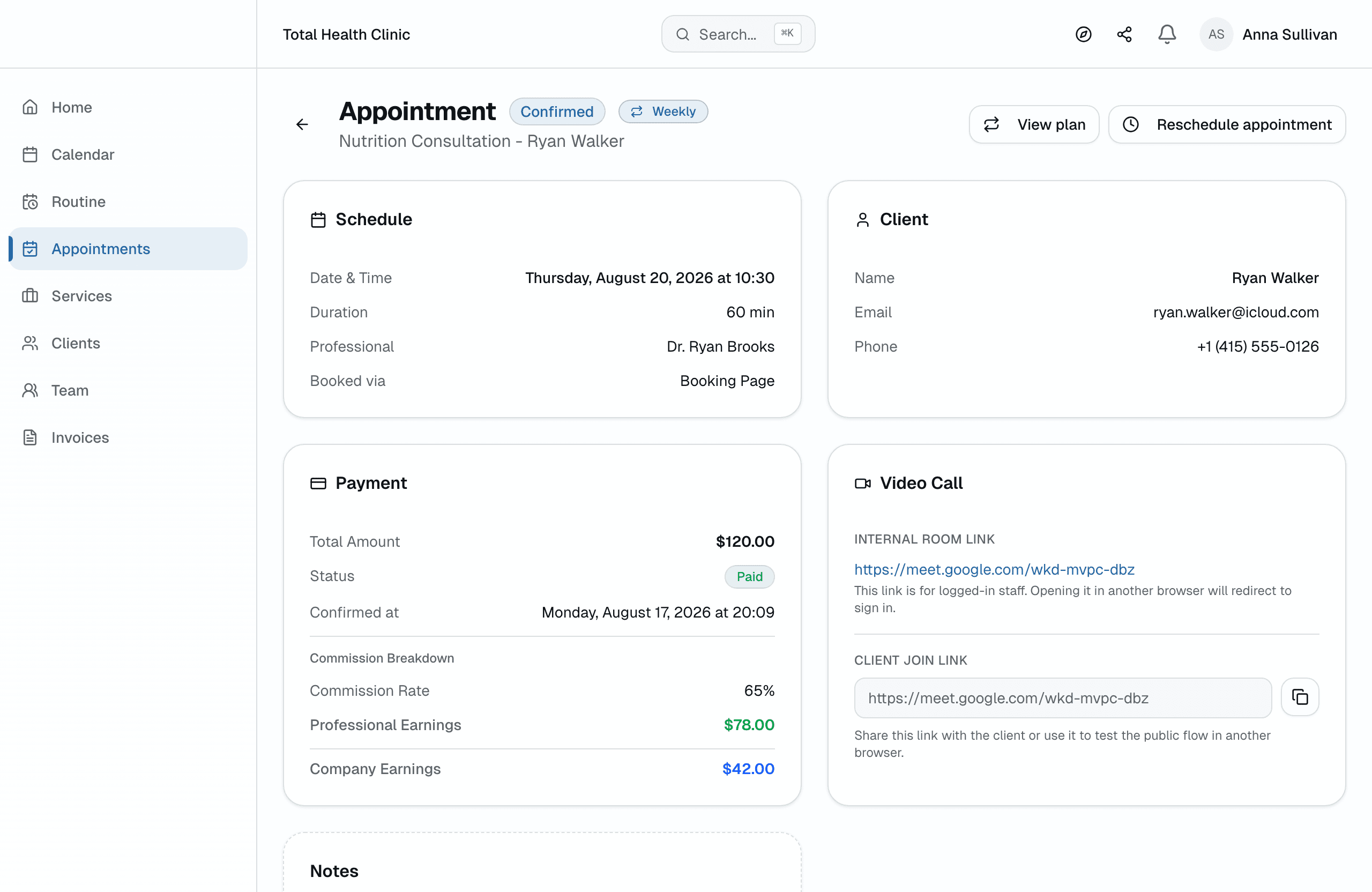
Clients pay 100% when they book, through Stripe, straight into your account. We take 0% of it. No payment, and the slot reopens in 10 minutes.
One link for all your mini session slots. Clients pick as guests, with no signup. Two people can't buy the same 10:40.
You set the rhythm for the brand that shoots every month: weekly, every two weeks, or every four weeks. One link collects the whole month's sessions.
Staged email reminders go out before every session. Clients confirm or cancel in one click. You know before the slot, not while you wait with the lights on.
Owner, manager, and photographer roles. Calendars side by side to see the whole day. Commission per photographer and per service, with a dated history.
All plans include a free trial · Cancel anytime, no questions asked
Yes. Portraits, newborns, mini sessions, branding shoots, and studios rented by the hour all run on booked time. Solo shooters use their own page. Studios with several photographers add roles and per-photographer commissions in one account.
You open the slots and share one link. Clients pick a slot as guests, with no account to create. The slot holds for 10 minutes and confirms only when paid. A sold slot can't be sold again.
No. Appointments collects the full session fee at booking, through Stripe, straight into your account. The session confirms already paid, so there is no balance to chase before shoot day.
You set the series: weekly, every two weeks, or every four weeks. The month's booked sessions group into one payment link.
No. You get 30 days with full access, no card required. We only ask for payment details if you decide to subscribe.
Your account pauses. Nothing is charged, nothing is deleted. Your data stays safe and you can subscribe whenever you're ready.
Yes, no questions asked. Your subscription runs until the end of the period you've paid for.
Yes. Import them from a CSV spreadsheet in minutes. Each client's history lives in one place from day one.