

The massage booking app where a booked session is a paid session
Clients pick a time on your page and pay right there. You keep your hands on the work, not on your phone.
Get your booking page
An empty table is not a break.
The room is set, the sheets are warm, and the 4 o'clock never shows. You text, you wait, you lose the hour. Chasing a fee afterwards rarely works and always feels bad. Appointments turns that around: the session is paid when it's booked. If the table sits empty, the payment already landed.
How your table stays booked and paid
- 1
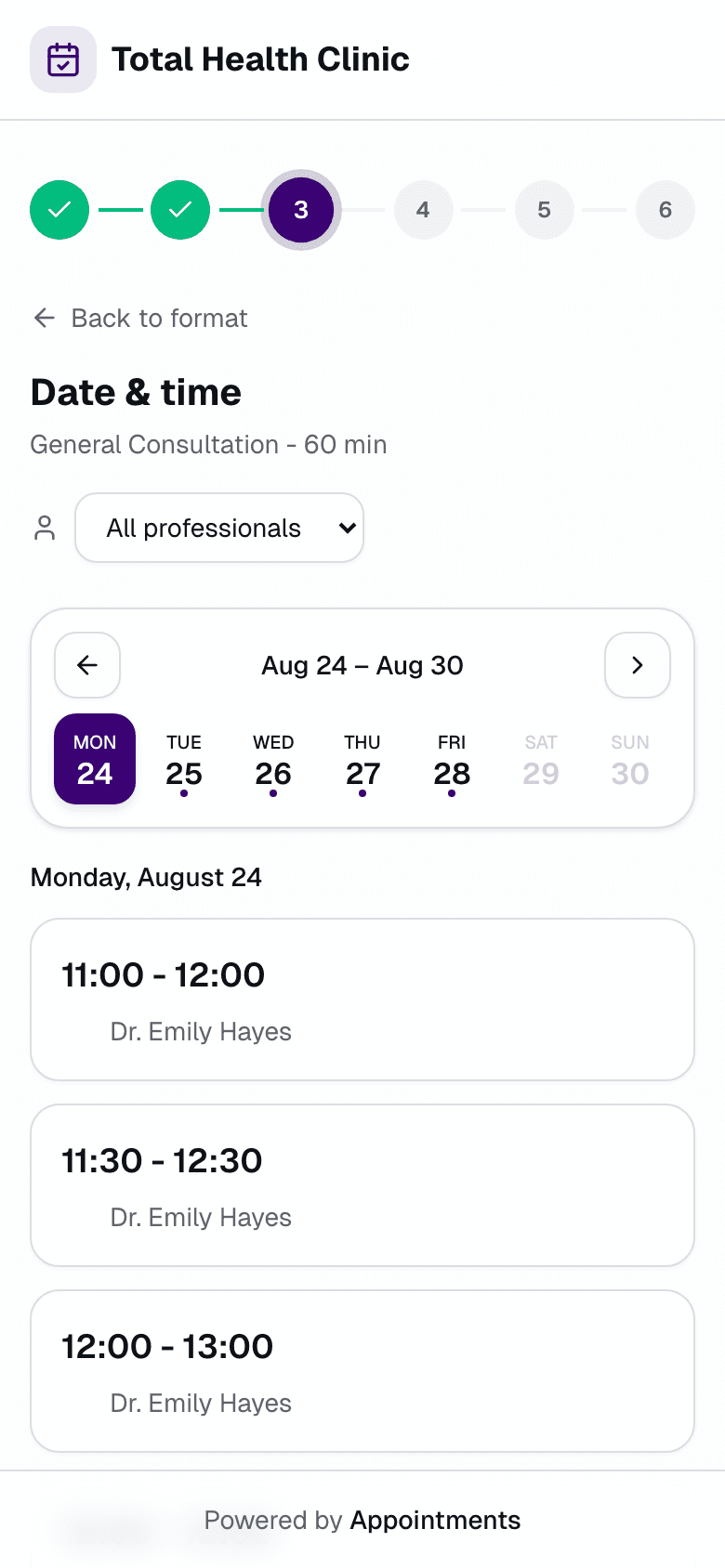
The client books and pays on your page
They pick from the openings you set, on their phone, no account needed. The slot holds for 10 minutes and confirms when the payment lands.
- 2
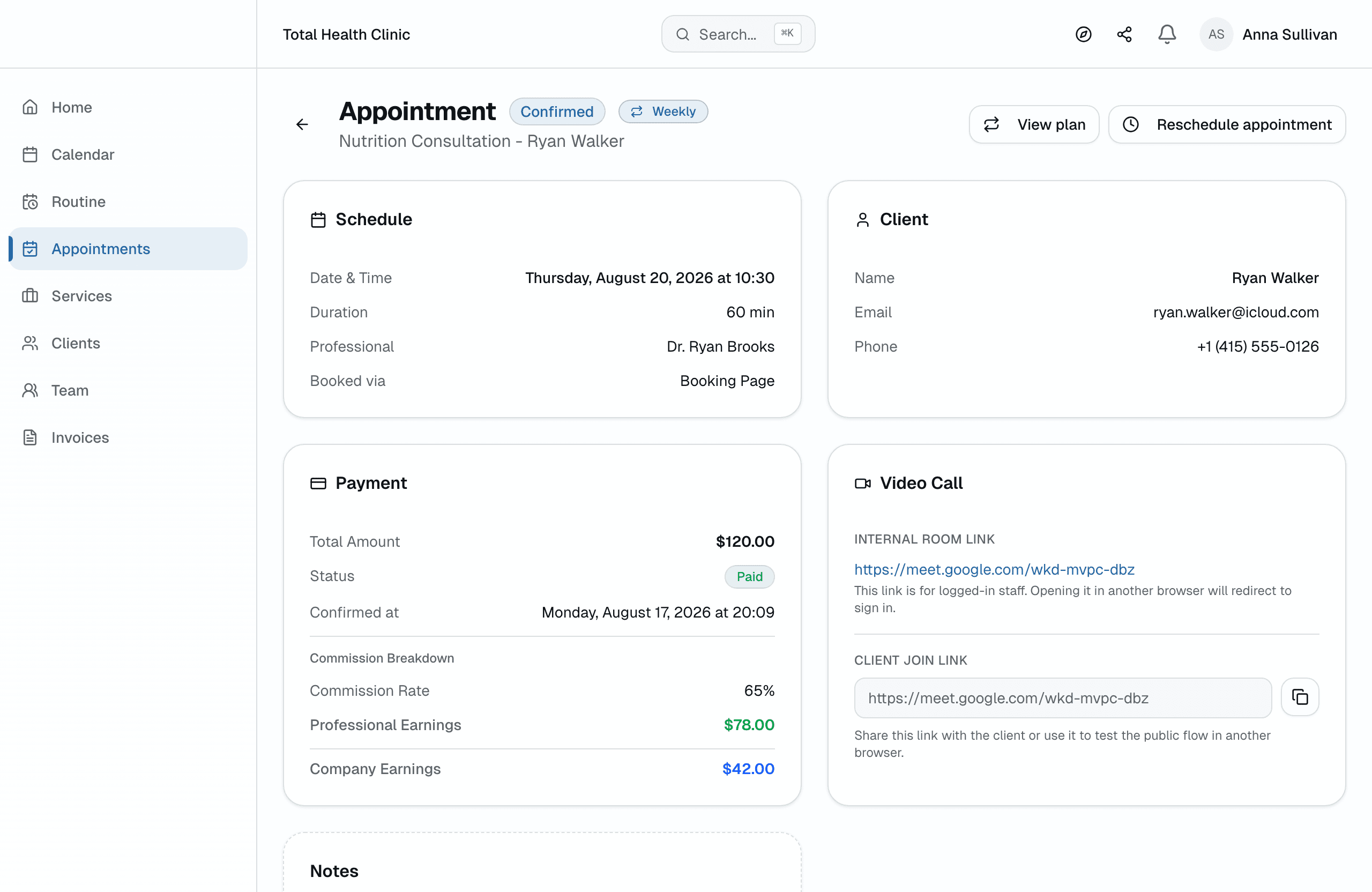
You set the rhythm for your regulars
Weekly, every two weeks, or every four weeks. The series starts from your calendar, and one link collects the month's sessions.
- 3
The day runs itself
Email reminders go out ahead of each session. Clients confirm or cancel in one click, so a gap shows up while you can still fill it.
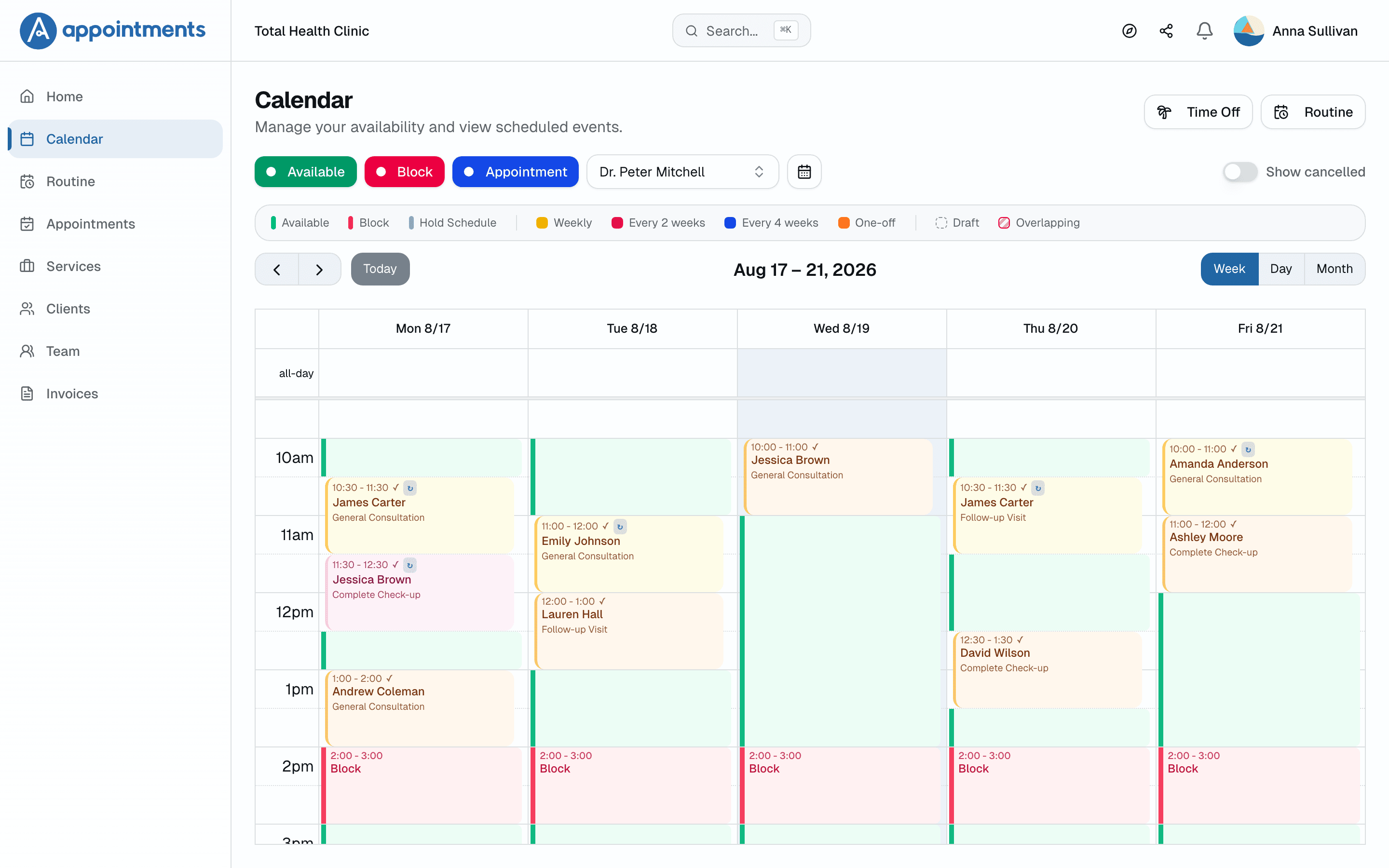
The front desk you never hired
Standing sessions repeat, blocked days close openings, and a clash arrives with a suggested fix.
Paid before they lie down
Clients pay the full session price when they book, through Stripe, straight into your account. The slot holds for 10 minutes and confirms only when the payment lands. If someone doesn't show, the hour was already paid.
A page that answers while your hands are busy
Mid-session, nobody answers texts. Your page shows real openings, takes the booking, and takes the payment. No account for the client, no phone tag for you.
Regulars on a standing rhythm
Your Tuesday 6 pm stays a Tuesday 6 pm. You set the series from your calendar: weekly, every two weeks, or every four weeks. One link collects the whole month of sessions.
Reminders that work while your hands do
Email reminders go out ahead of every session. Clients confirm or cancel in one click. You find out before the hour, with time to fill it, not after.
Hours that respect your body
Your hands have a daily limit. Open only the hours you can give, set your weekly routine once, and block days off. A closed day takes its openings with it.
Fair price. Real value.
All plans include a free trial · Cancel anytime, no questions asked
Professional
- Online appointments with integrated Google Meet
- In-person, online or hybrid appointments
- Recurring appointments
- One monthly payment link for recurring clients
- Shareable booking link
- Custom service creation
- Complete client management with easy import
- Automatic email reminders
- Automatic schedule conflict detection
- Availability templates and time blocks
- Online payments with integrated Stripe
- Private notes per appointment
Questions massage therapists ask
How do I stop no-shows in my massage practice?
You stop chasing them. Clients pay in full when they book, so a no-show doesn't take the hour's income with it. Email reminders go out before each session, and clients confirm or cancel in one click.
Can clients book a massage without creating an account?
Yes. Your page runs on guest checkout. They pick a time, pay, and get a confirmation by email. They also get a portal to see and manage their sessions, no password involved.
Can I set up my weekly clients automatically?
You set the series from your calendar: weekly, every two weeks, or every four weeks. The client doesn't book each one. One link collects the whole month of sessions in a single payment.
Does it work for a studio with more than one therapist?
Yes. Solo LMTs run their own page. Studios add therapists with roles for owners and staff, and calendars side by side. Commission is set per therapist and per service, with a dated history.
Do I need a card to start the free trial?
No. You get 30 days with full access, no card required. We only ask for payment details if you decide to subscribe.
What happens when the trial ends?
Your account pauses. Nothing is charged, nothing is deleted. Your data stays safe and you can subscribe whenever you're ready.
Can I cancel anytime?
Yes, no questions asked. Your subscription runs until the end of the period you've paid for.
Can I bring my current clients?
Yes. Import them from a CSV spreadsheet in minutes. Each client's history lives in one place from day one.